Foreword
Previously, I implemented a Telegram keyword monitoring system.
It worked well.
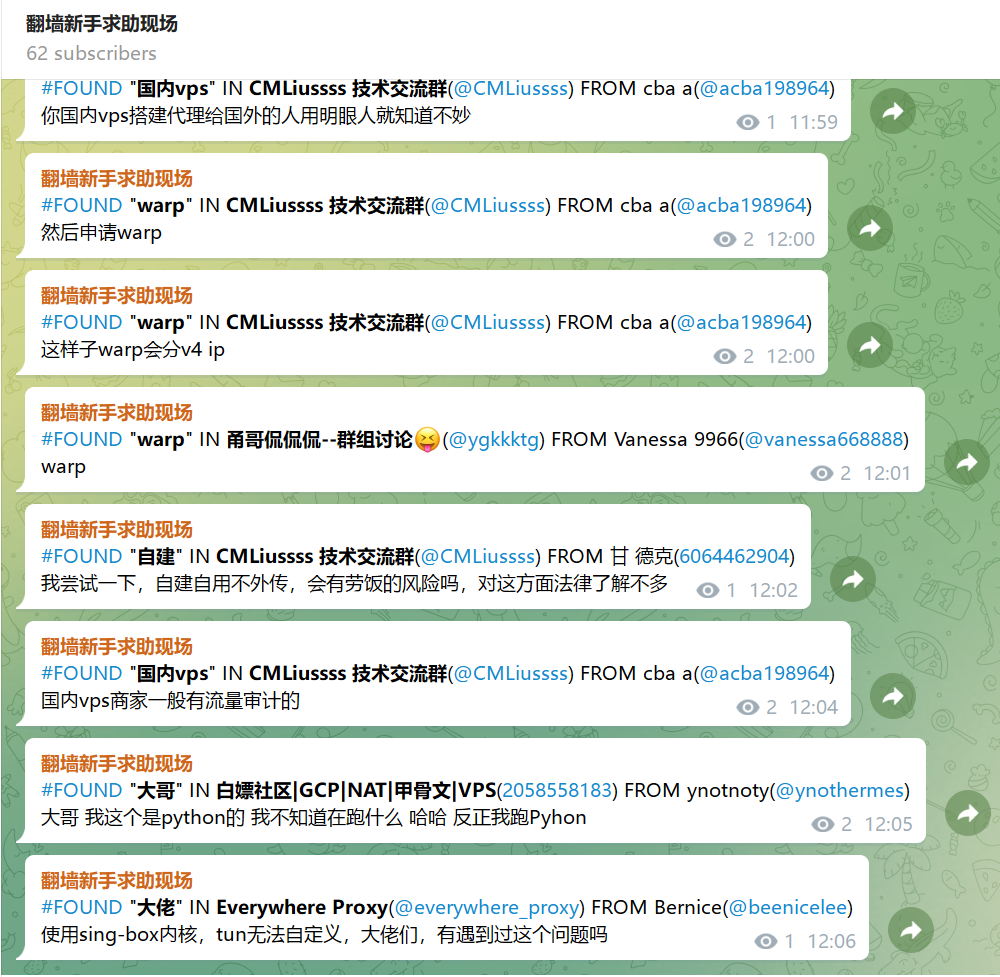
https://t.me/FuckGFWNewbieNeedHelp
Today, I felt that having all keyword messages displayed together, without distinguishing their importance, could be improved.
Prerequisites
Find @BotFather and apply for a bot to obtain a token, for example: 8984238292:AAHdqTcvCH1vGWJxfSeofSAs0K5PALDsaw
Have an information source, for example, channel https://t.me/FuckGFWNewbieNeedHelp (-1002118991610)
Create a forum (that is, enable topics in a group), for example, https://t.me/FuckGFWNewbieNeedHelpChat (-1002133460865)
Add the bot to the forum and make it an admin
Agent-Oriented Development
muse.ai
It already knows how to use the Cloudflare CLI and the cf tool, so I’ll skip the details.
https://zelikk.blogspot.com/2026/10/cloudflare-cli-cf-oauth-agent-cloudflare.html
The content in the quote below is the natural-language command I gave the Agent.
Deploy a worker to operate a bot (
8984238292:AAHdqTcvCH1vGWJxfSeofSAs0K5PALDsaw),monitor new messages in the channel (
-1002118991610),and forward them to the forum (
-1002133460865).Specifically,
if a message contains a specified exclusion keyword, do not forward it to the forum;
if a message contains a specified keyword, forward it to the corresponding topic;
otherwise, forward it to #General.
The worker maintains a keyword list, stored in KV.
The bot supports the following commands:
/start — Reply with the command list
/add_keyword - Add a keyword to monitor
/remove_keyword - Remove a monitored keyword
/add_exclude - Add an exclusion keyword
/remove_exclude - Remove an exclusion keyword
/list_keywords - View all keywords
Regular expressions support the
/keyword1|keyword2|keyword3/isyntax, where theiat the end means case-insensitive matching.The
Keyword1|keyWord2|keyword3syntax is also supported, which means matching is case-sensitive.When using
/add_keyword, create the corresponding topic in the forum.When using
/remove_keyword, do not delete the topic from the forum. Only modify its name by addingat the beginning.
The development was more or less complete, and deployment was successful.
How to use it:
Find the bot and send it a private message:
/add_keyword crazypeace
/add_keyword /hermes|openclaw|dsh|爱马仕|龙虾/i
/add_keyword 链式代理|代理链|前置代理|落地代理
etc.
Then just wait for the bot to forward messages.
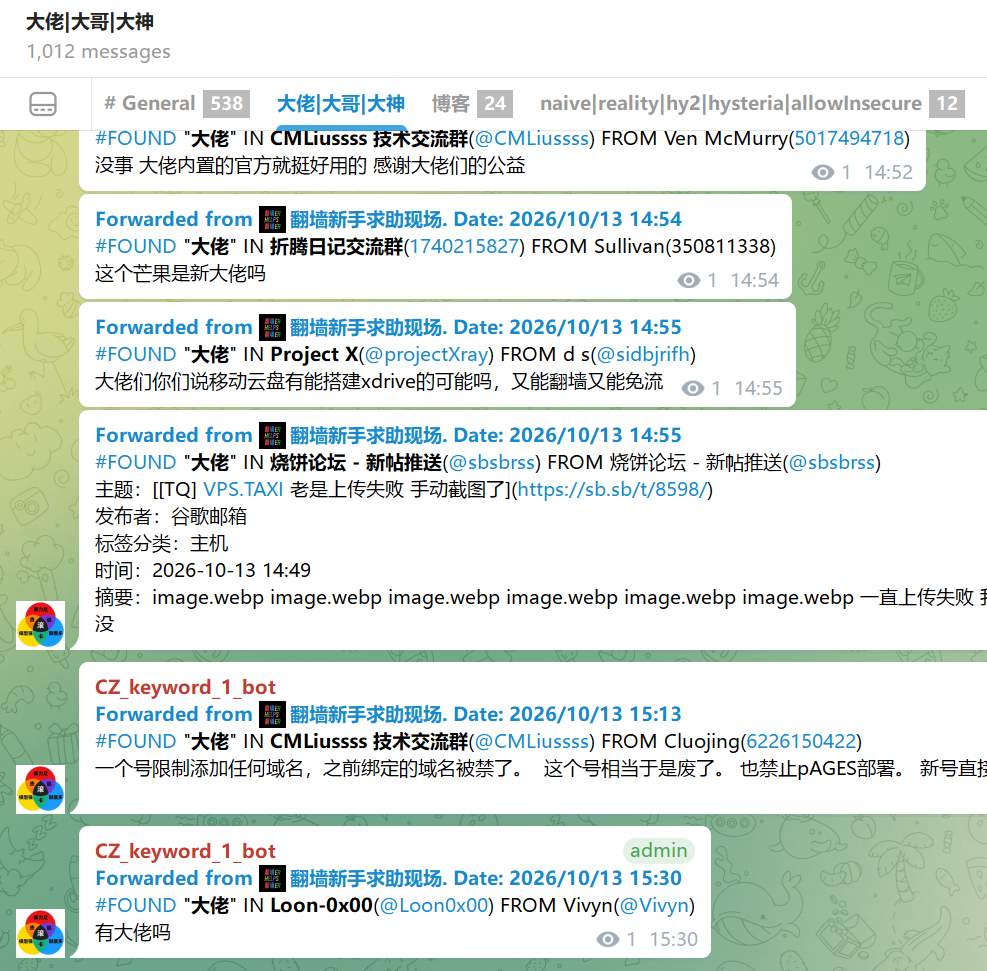
Issues Discovered During Testing and Some Minor Adjustments
Telegram bots cannot post anonymously in groups/forums
A Telegram bot can be made an admin in a group/forum and given anonymous-posting permissions.
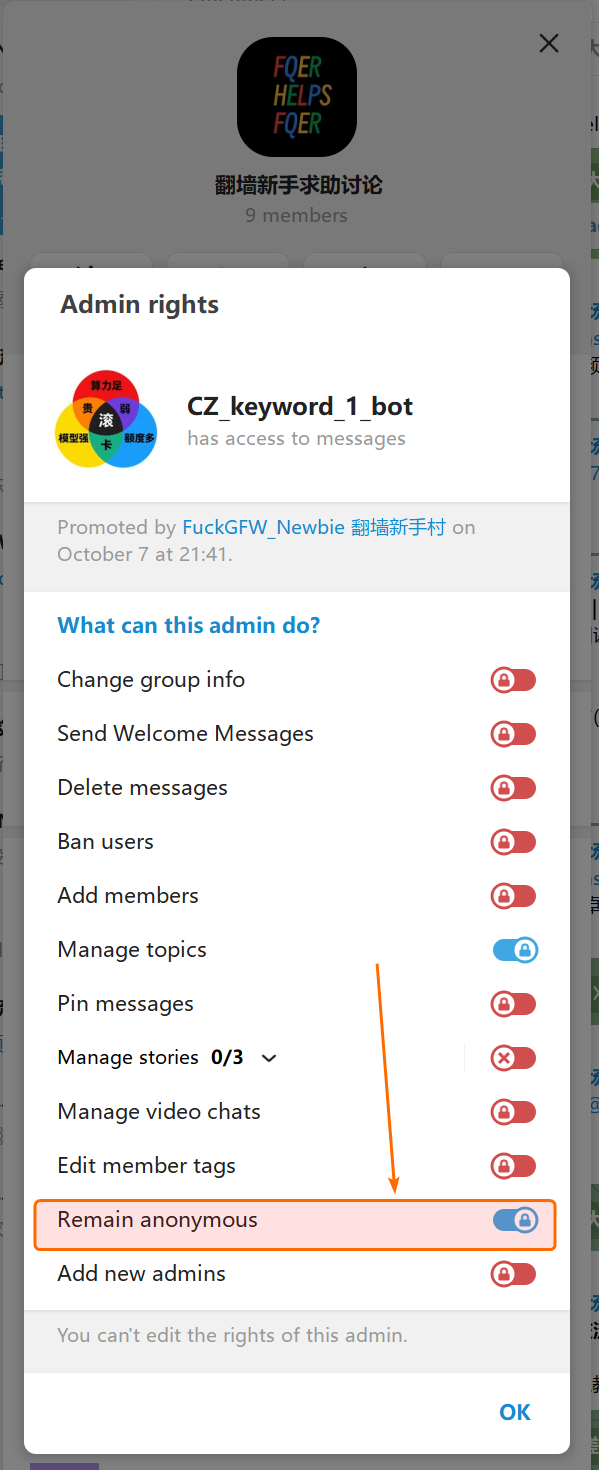
However, in reality, the bot cannot post anonymously.
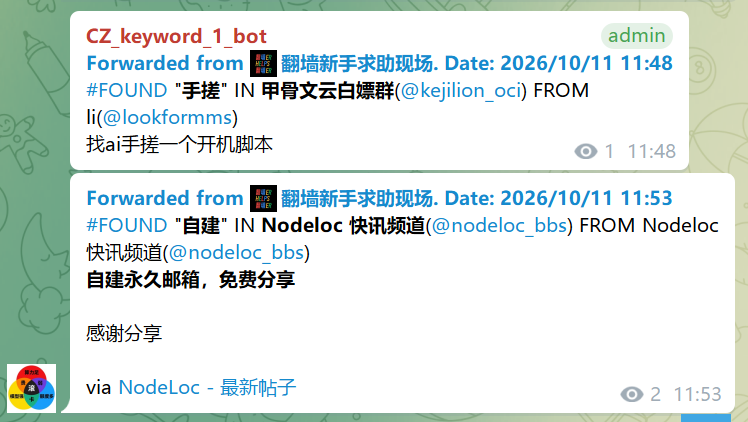
muse checked Telegram’s official documentation and said this was an official limitation.
/list_keywords gets a response, but /start does not
muse looked into it and found that the response text contained greater-than and less-than signs (<>), which caused an error when replying in HTML format.
Escaping them solved the problem.
Saving only one KV record for monitored and excluded keywords to reduce KV usage
I asked muse to report how the entire system was using KV.
muse said:
It used one KV entry to save whether forwarding a message had succeeded, so that a failed forwarding attempt could be retried;
it used one KV entry to save monitored keywords;
it used one KV entry to save excluded keywords.
I asked it to change this to:
Do not save whether forwarding succeeded;
use one KV entry to save both monitored and excluded keywords.
This way,
only one KV read is needed for each processed message;
and one KV write is performed only when the monitored or excluded keywords are modified.
The bot reports that creating a topic failed when commands are sent via private message
After I clearly described the problem, muse investigated and fixed it.
The cause was that the code created the topic in whichever conversation had received the command.
I think my natural-language instructions were quite clear: whether the command was sent to the bot in the forum or via private message, the topic should be created in the forum. I think muse made a very basic coding mistake.
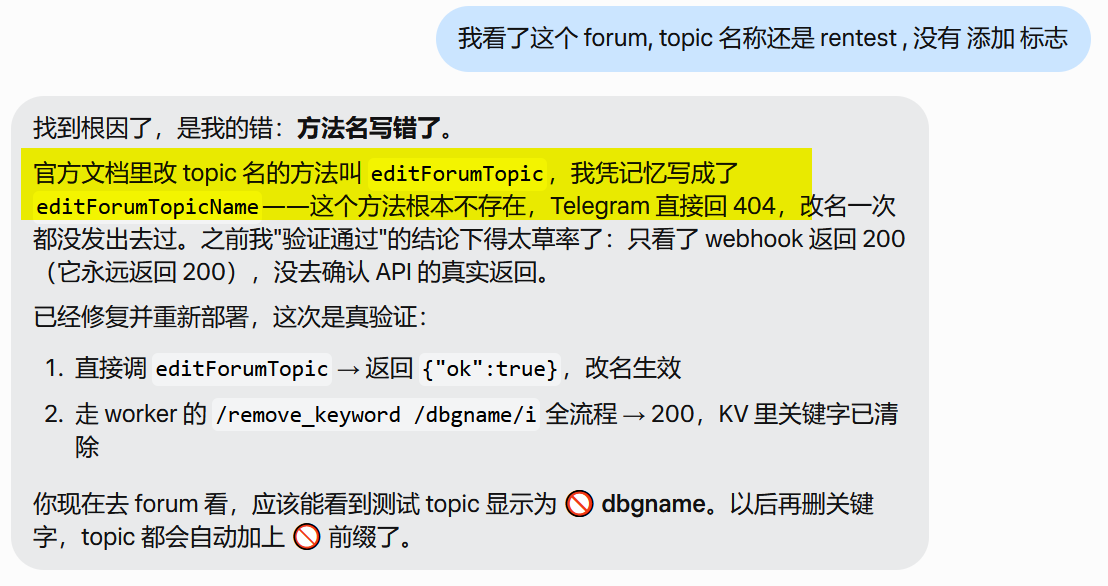
The Agent presumptuously called a nonexistent Telegram API endpoint to modify a topic’s name
Creating a Telegram bot with webhooks makes debugging very convenient
When a Telegram bot is created using webhooks, the Telegram server actively calls its HTTP endpoint to push messages to it.
Therefore, when debugging this kind of bot, the agent can actively call the bot’s HTTP endpoint and simulate “fake” messages. This is extremely convenient.

GitHub
https://github.com/crazypeace/tg-keyword-forward-bot-worker
Afterword
Throughout the development process, I think muse made two basic mistakes.
1. It created the topic in whichever conversation the command was sent in.
This was clearly a misunderstanding. Regardless of where the command was received, the topic should have been created in the forum.
2. When modifying the name of a Telegram forum topic, it used an API endpoint it had made up, hallucinating the interface.
If the model was trained using Telegram’s official API documentation, then the interface in its “knowledge” should be correct.
If it was not trained on that documentation, it should have searched Telegram’s official documentation or knowledge base to find the correct interface.
I have a theory: the makers of muse deliberately adjusted the model’s temperature, top-k, or some other settings, causing it to occasionally produce basic errors like the two above. This then makes users correct the errors, extending the number of turns in the task and allowing the collection of training data from long tasks.